
Club TV screens
Your club news on every TV. Moving, and always current.
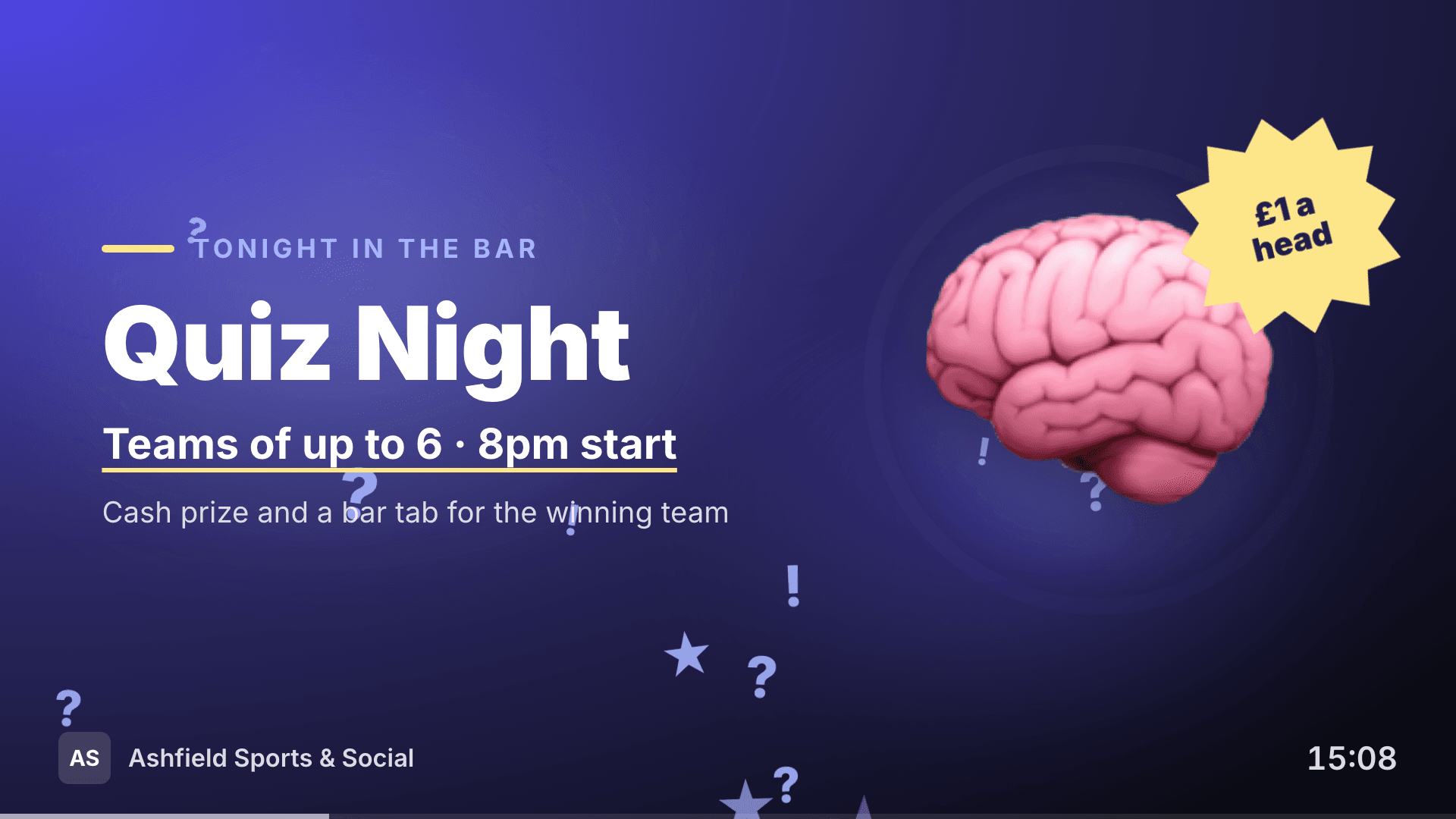
The TV in the bar is the one screen every member looks at. Comnly turns it into your noticeboard: quiz night, this week’s drinks offer, the next match, your sponsors and the join QR code, all moving and all kept up to date from the dashboard. No USB sticks, no spare laptop behind the TV, no slides to redo every week.
- Works on any TV with a web browser or a £30 streaming stick
- 25 animated templates for nights, offers, sport and the seasons
- Upcoming events and sponsor adverts fill themselves in
- Important notices on every screen at once
- Link a TV by scanning its QR code with the Comnly app
Members get the Comnly app on iOS and Android


What you can do
The full feature surface
Templates that move
Pick quiz night, live music, match day, bingo, a drinks offer, Sunday lunch, Christmas and more. Headlines arrive word by word, price badges spin in, and each template has its own effect behind the words: confetti, bubbles, snow, fireworks, spotlights or a bouncing equaliser.
Yours to edit, hard to get wrong
Change every word, pick small, medium or large text, choose from colour palettes made to stay readable across a room, and add your own picture beside or behind the words. Long headlines shrink to fit, so a slide never runs off the screen.
Events and sponsors, filled in for you
Add an events slide and it shows your next events from the club calendar, with today’s highlighted. Add a sponsors slide and your live sponsors take turns, and you can see how many times each one has been shown, for the next sponsorship conversation.
Urgent news on every screen
Post an important notice for members and every TV in the club shows it straight away, for the hours you choose or until you clear it. Let it take over the screens, or show it every few slides between your playlist. Committee-only notices never appear on a screen.
One link, any TV
Every TV in the club runs from one secret link. Open comnly.com/tv on the TV and scan its QR code with the Comnly app, and it switches to your screens. Give one TV its own playlist, such as the bar, with a link ending.
Built to run unattended
Screens keep showing the last content if the internet drops, reload themselves overnight, recover if they ever freeze, and you can see in the dashboard which TVs are online. Screens never show member names or personal details.
How it works
From idea to delivered in minutes
Link your TVs
Turn TV screens on in the dashboard. On each TV open comnly.com/tv and scan the QR code it shows with the Comnly app or your phone camera.
Build your playlist
Add slides from the templates, your events, sponsors and the join QR code. Change the words and colours and watch the live preview.
Keep it fresh
Saved changes reach every TV within about 30 seconds. Schedule a slide for the week of an event and it comes and goes on its own.
FAQ
Common questions
What do we need to put Comnly on a TV?
Will the TV switch itself off?
How do we link a TV to our club?
Can we change the templates?
Will members’ names or details appear on the TV?
Can different TVs show different things?
What happens if the internet drops?
Can we sell sponsor adverts on the screens?
What if someone shares our TV link?
Explore more